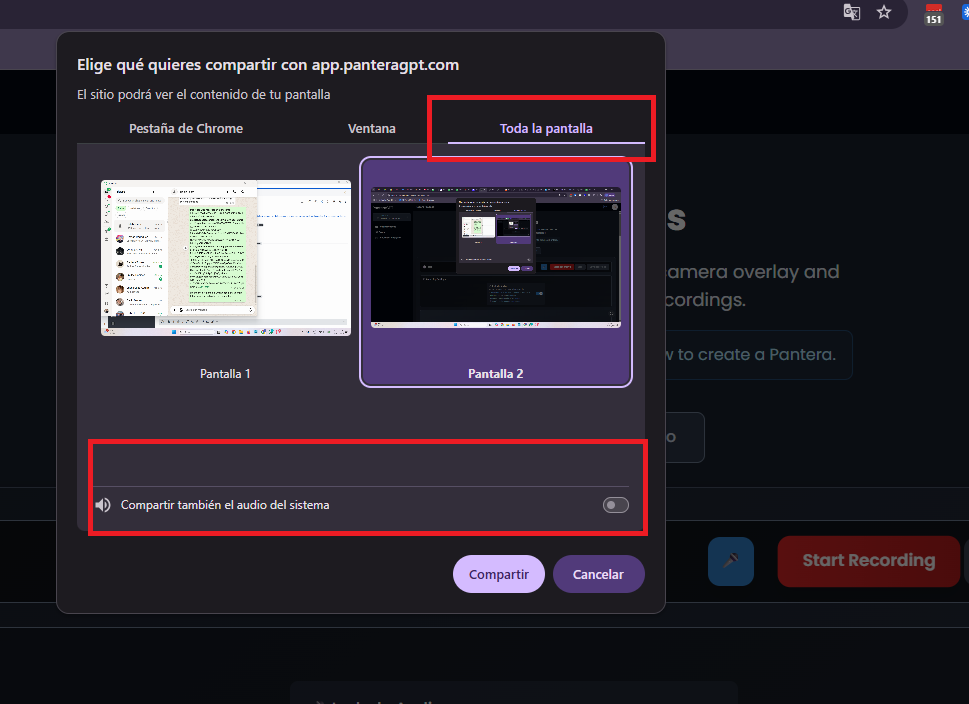
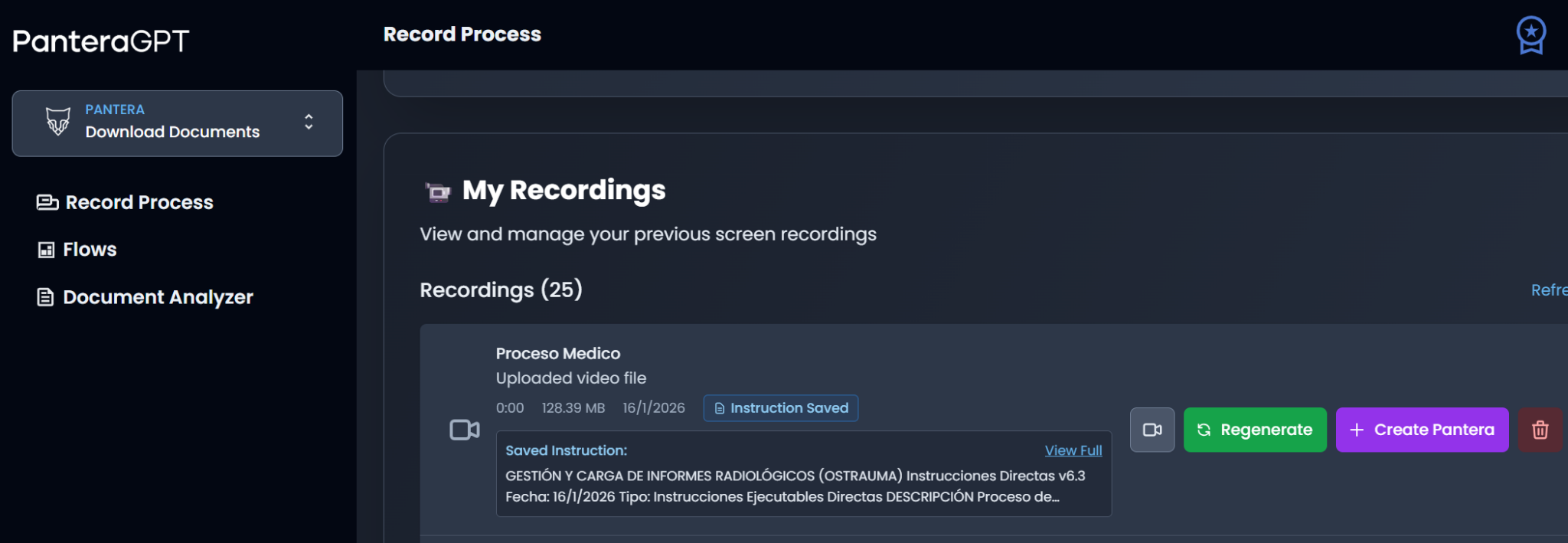
Then sign in with your account details and, under the Record Process option, click Start recording.
VERY IMPORTANT: Select the entire screen to record and turn off the option to share system audio (it must be off; otherwise it blocks the main microphone and the recording will have no audio).
Record as if you were training a new employee
Explain every step, decision, and rule.
Narrate your thought process throughout the entire recording.
Recommended duration: 3–10 minutes per process segment.
Make sure the recording came out correctly and that the audio can be heard clearly by clicking the camera icon.
You can also verify Pantera’s understanding by clicking Generate analysis (green button).
Video Structure
Process Introduction (30 seconds – 1 minute)
What: Briefly describe what will be accomplished.
Why: Explain the business importance of this process.
When: Describe the triggers or timing for this process.
Input Sources and Setup
Data Sources: Where do you receive information from? (Systems, emails, files).
Initial Setup: What applications or files do you open first?
Prerequisites: Is any preparation or any condition required?
Step-by-Step Process Execution
Each Action: Show and narrate every click, input, and calculation.
System Navigation: Demonstrate how you move between screens/applications.
Data Handling: Show filtering, sorting, and applying formulas.
File Operations: Demonstrate saving, copying, and moving files.
Business Rules and Decision Points
Decision Logic: "If the amount exceeds $10,000, I flag it for review…"
Validation Rules: "I always cross-check this information with…"
Approval Processes: "When this condition occurs, I escalate it to…"
Quality Checks: "I verify accuracy by…"
Exception Handling
Common Issues: "Sometimes this field is blank, so I…"
Error Scenarios: "When the system shows this error, I…"
Data Issues: "If the numbers do not match, I…"
System Failures: "When the application is not working, I…"
Output and Completion
Final Deliverables: What files, reports, or updates are created?
Distribution: Where do the outputs go? Who receives them?
Documentation: What records are maintained?
Follow-up: Is any subsequent action required?
Recording Quality Checklist
Audio is clear and understandable
Screen content is readable
All steps are shown completely
Business rules are explained
Exceptions are covered
Multiple examples are provided (if applicable)
Additional Documentation
Supporting Files: Attach sample files used in the process.
Written Notes: Include any rules or details not mentioned in the video.
Contact Information: Provide a contact for clarification questions.
Get Started
Ready to automate like an expert?
Thank you! Your submission has been received!
Oops! Something went wrong while submitting the form.